
My original post about Fabric Flower Headbands continues to be one of the most viewed tutorials on my site. So when I received some of the new Fabric Interfacing from Silhouette a couple weeks ago, I immediately thought of how much easier this already simple project was going to be with the help of my Silhouette.

This is the fabric interfacing- it comes in 2 varieties, one you can use with your sewing machine and one you can't. For this project, there is NO SEWING REQUIRED! Yipee!
From start to finish, this took me about 20 minutes, but most of that was checking and rechecking that I was using the interfacing right. Now that I know a little more of what I am doing, I could probably make 4 or 5 headbands instead of just one.
Here is the step-by-step process:

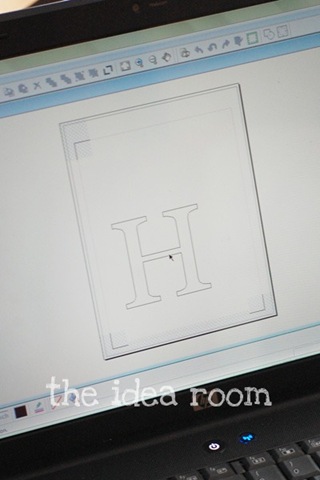
1. First I simply made 6 circles in my Silhouette program: (4) 2.5 inch circles and (2) 3.5 inch circles. But I sized this completely wrong- instead of the bigger circles being a whole inch bigger than the small ones, they really only need to be 1/4" bigger. I had to fix this by hand (oops!) but next time it'll be perfect!

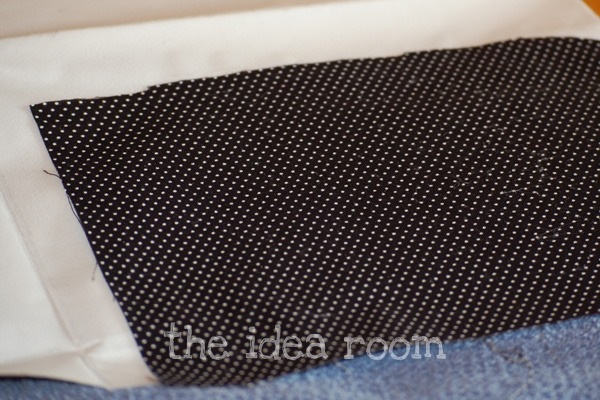
2. Next I took 2 rectangles of some fabric remnants and ironed them side-by-side directly onto the fabric interfacing. Make sure your fabric is facing up and the interfacing backing is facing down.

3. Then I cut out around the material so that didn't overlap the interfacing and to make sure it was exactly the size of the cutting mat.

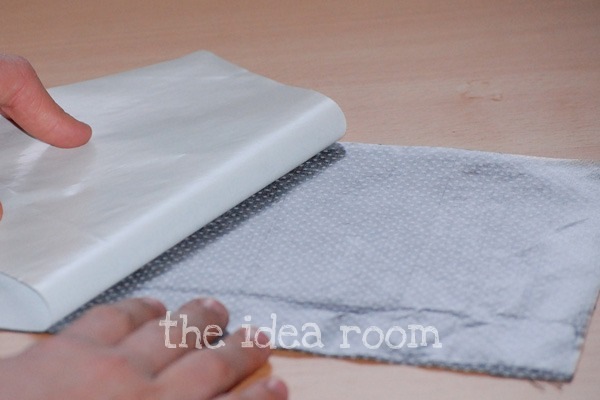
4. Peel away the paper layer from the back of the material/ interfacing.

5. Place your fabric onto your cutting mat, load it into your machine and hit "cut". I cut mine with settings at a speed of 5 and a thickness of 30 and made it cut double, meaning it went over the same area twice.

6. Lastly, peel the fabric off the mat and look at your perfectly cut circles!!!
To finish the fabric flower, I followed the steps in my original tutorial HERE, except that since I first made those, I have become lazier and now use my glue gun instead of a needle and thread! It works wonderfully!
And that is it!!!

Cutting fabric is seriously my favorite feature of the Silhouette machine!
Silhouette is offering my readers a special promotion starting NOW! Use the promo code SOMEWHAT at checkout when you purchase a Silhouette SD and you will also receive one package of each fabric interfacing (clean cut & sewable) and a roll of white flocked heat transfer material for only $229. If you already have a Silhouette, use the promo code SOMEWHAT at checkout to receive a 25% discount on fabric interfacing. But hurry this offer is only good through March 27th.
Click the image below to go directly to the Silhouette website.

***Please know that while I did receive the fabric interfacing shown here on this post, I was not paid for this post and, as always, all words and opinions are mine.***
This is really cute! I love the colors.
ReplyDeleteConnie
http://thecrafterbug.blogspot.com/